Pocket Pilots Guides Hub
Career walkthroughs for the real-world sky — from first Skylark hop to company charters.
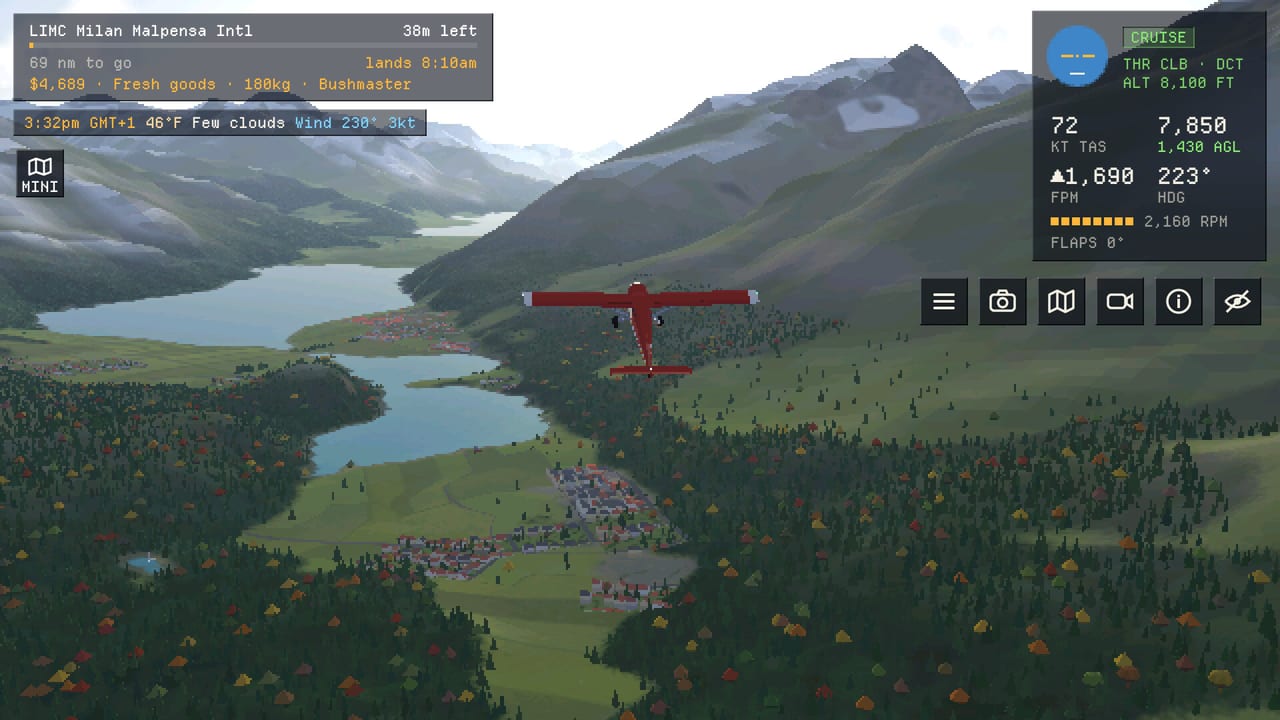
Welcome to the Pocket Pilots guides hub. This is the map for building a flight career over the real world: thousands of airports, live weather, and flights that keep moving while you are away. NimbleBit’s free-to-play career game runs on Steam, Android, iOS, and in the browser at pilots.nimblebit.com, with one shared sky and cross-device sign-in.
Use this hub to jump into focused walkthroughs. Each guide below goes deep on one system — money, aircraft, barn finds, licenses, helicopters, companies, or controls — and links to the others so you can chain progress without hunting the UI.
Start here
New careers begin with a Skylark and $2,500 at a home airport you choose. San Diego, Queenstown, the Swiss Alps, and thousands of other real airfields are valid starts. The Getting Started guide walks through that first hour: signing in, reading the job board, launching a charter or scenic tour, watching the flight in real time, and checking the logbook when you land.
Once the loop clicks — pick a job, fly (or step away), get paid — move into earning and fleet growth. Pocket Pilots rewards patience and smart routing more than constant tapping. Flights take real duration, so planning what you do between takeoffs matters as much as what you fly.
Money, jobs, and photos
Cash funds every upgrade: the next plane, hangar space for a company base, and the patience to wait for the right charter. The Make Money guide covers job types (charters, scenic tours, cargo), when photo tips along famous sights add payout, and how speed versus capacity changes your hourly rate as the fleet grows.
Pair that with Buying Planes when the Skylark feels slow. The Swallow at roughly $95,000 and about 172 knots is a common early jump from the starter’s ~122 knots; the Bushmaster trades different capacity and field performance. Paint and naming keep the hangar personal while you climb toward twins, turboprops, and jets.
Barn finds
Not every hull comes from the shop. Barn Finds are classic airframes you discover and restore — a parallel grind that rewards exploring beyond the usual charter loop. Budget cash and time so a tempting restoration never blocks the license-gated twin or jet you need for event week. Use the dedicated barn-finds guide for locations, restore costs, and when a vintage plane earns a permanent hangar slot.
Licenses and helicopters
Progression is gated by licenses as much as cash. The Licenses guide outlines the climb from bush planes through twins and turboprops into jets, plus tilt-rotor and helicopter ratings that open new pads and missions. Logbook hours, awards, and completed jobs feed that unlock path.
Rotary wings deserve their own page. The Helicopters guide covers the Hummingbird (3-seat light), Kingfisher (5-seat turbine), Thumper (1969 utility), Petrel (12-seat twin-turbine), and Stork (twin-rotor heavy: 30 seats or 10 tonnes slung). Hospital roofs, oil rigs, ships, and scenic canyon routes play differently when you can land on a pad.
Companies and controls
Everyone shares one sky. The Companies guide explains starting or joining a company with friends, sharing planes and bases, invite codes (formats like 6HC9TV), big multi-pilot charters, and weekly world events. Online companies turn the idle-friendly flight loop into a shared career.
If the UI still feels dense, read Controls. It covers the job board, map and airport search, flight watch cameras, photo snaps, jumps that teleport you and your plane, liveries, the optional Pilots Club subscription, and Steam / Apple / Google sign-in so the same career follows you across devices.
How to use this hub
- Finish Getting Started and land a few real-time flights.
- Optimize payouts with Make Money, then save toward Buying Planes.
- Slot Barn Finds restorations beside shop upgrades when you want a classic side project.
- Chase the next ticket in Licenses; unlock rotary wings via Helicopters when ready.
- Invite friends through Companies and keep the UI sharp with Controls.
Check Updates when NimbleBit ships new aircraft families, map markers, or event weeks, and browse Players for community-facing pages. For promo or invite-style codes as they appear, see Codes.
Pocket Pilots is built for relaxed sessions: set a scenic tour over real terrain, snap a landmark for a tip, and come back when the wheels touch down. These guides keep that career intentional from the first Skylark to a company fleet on jets and heavy helicopters.
Frequently Asked Questions
Quick answers for Pocket Pilots careers, fleets, and companies.
Which Pocket Pilots guide should I read first?
Start with Getting Started for home airport choice, the Skylark, and your first paid jobs, then Make Money and Buying Planes once you are landing consistently.
Do flights continue when I close the game?
Yes. Flights use real duration and keep progressing while you are away. Check in when you land to collect pay and plan the next job.
Is Pocket Pilots available on PC and mobile?
Yes. Play on Steam, Android, iOS, or in the browser. Sign in with Steam, Apple, or Google to keep one career across devices.
Where do company invite codes and weekly events fit?
See the Companies guide for invite codes, shared planes and bases, big charters, and weekly world events in the shared sky.